
Audio and video content are powerful channels for dissemination, although not everyone has the same access to them.
There are audiences, particularly people with disabilities and other challenges, who cannot hear the audio, cannot see the visuals, or need a readable version to grasp the content fully. That is exactly where accessible transcription services help.
An accessible transcript not only captures spoken words. It also documents speaker labels, sounds, and visual descriptions in a clear format. That is crucial, especially for several professions and events such as public meetings, interviews, business recordings, and files prepared through legal transcription services. Accessible transcription is about more than compliance. It makes content easier for everyone to understand.
Accessible Transcription Services Help Remove Barriers for 1.3 Billion People Worldwide
Accessible transcription services convert audio or video recordings into readable text, improving inclusivity of the original media.
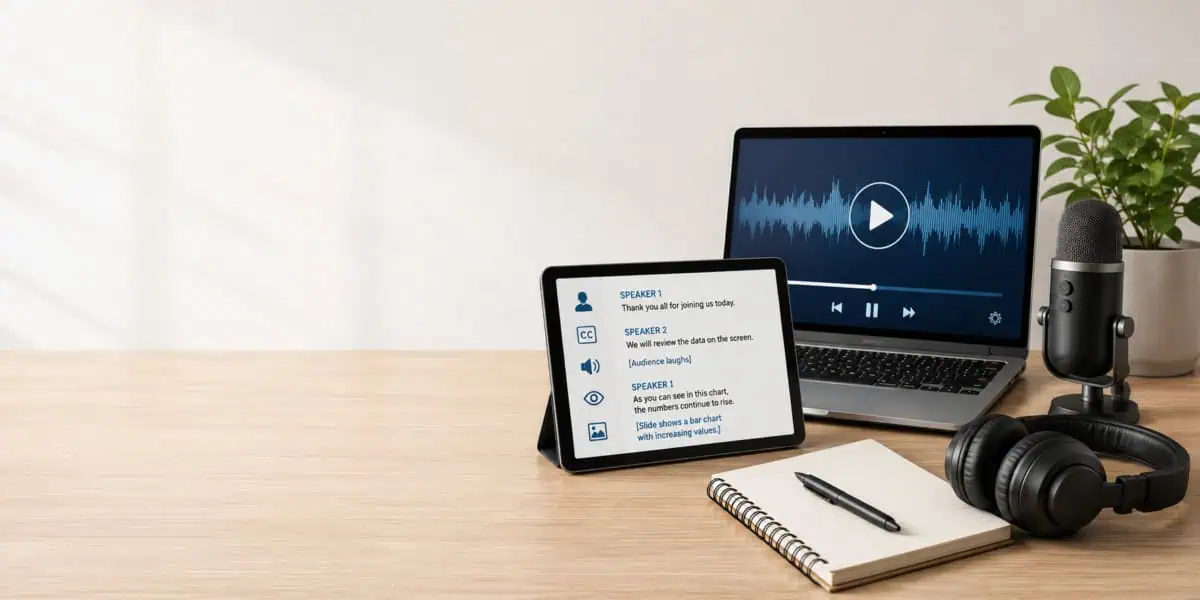
While a standard transcript usually focuses on what was said, an accessible transcript includes:
- Speaker identification
- Meaningful non-speech sounds
- On-screen text
- Relevant visual details
- Clear paragraph breaks and headings
- Readable formatting for assistive technology
The goal is simple: someone should be able to read and understand transcripts without relying only on hearing or sight.
For example, if a training video says, “Click this button here”, then an accessible transcript should explain which button the speaker means. Another is that if a presenter points to a chart, the transcript should describe the key information shown in it.
This is especially useful for videos involving instructions, public information, and government transcription services.
Accessible Transcripts vs. Regular Transcripts
Not every transcript serves the same purpose. Here are transcript types and how they differ:
| Transcript Type | What It Includes | Best For |
| Regular transcript | Spoken words and basic speaker labels | Interviews, podcasts, meetings |
| Verbatim transcript | Spoken words, fillers, false starts, and repeated words when requested | Legal, research, and formal records |
| Accessible transcript | Speech, speaker labels, meaningful sounds, formatting, and visual details when needed | Videos, training, compliance-focused content |
| Descriptive transcript | A fuller text version of both audio and important visual content | Videos with slides, charts, demonstrations, or on-screen actions |
A descriptive transcript need not describe every object in the background, although it should describe what matters. When visual information is crucial or changes the meaning, it must be reflected in the transcript.
1 in 6 People Worldwide Experience a Significant Disability, and Transcripts Help Improve Access
Aside from disabled individuals and people with vision and hearing challenges, the Audience that prefers or needs text highlights why accessible transcripts matter.
Specifically, transcripts are useful for:
- Students reviewing lectures
- Employees searching for training materials
- Attorneys reviewing recordings
- Researchers analyzing interviews
- Journalists pulling quotes
- Viewers who cannot turn on the sound
- Non-native speakers following complex topics
A transcript gives users control by allowing them to skim, print, translate, save, and even quote without replaying an entire recording.
And that highlights why accuracy matters. For example, for trial transcription services, even small errors can create confusion. Accessible transcription should be accurate, readable, and tailored to the needs of real users.
What WCAG Says About Transcripts
The Web Content Accessibility Guidelines, or WCAG, explain how to make digital content more accessible. For audio and video, it basically says that users need an alternative way to access information when they cannot hear or see the original media.
That alternative is usually a transcript. For video, captions, and transcripts work together. Captions appear in sync with the video while it plays. Meanwhile, transcripts are a standalone format that gives users a full written version they can read on their own.
And when important visual information, such as gestures, actions, charts, scene changes, or visual instructions, is needed to understand the video, the transcript then needs visual descriptions.
4 Elements Every Accessible Transcript Should Include
A strong, accessible transcript should be easy to read and complete enough to be understood.
Speaker Labels
Speaker labels tell readers who is talking.
A weak example is:
“I reviewed the file yesterday.”
A clearer and better format is:
Attorney: “I reviewed the file yesterday.”
Speaker labels are especially important because they create distinction, which is crucial for interviews, hearings, meetings, and deposition transcription services, where several people may speak in the same recording.
Meaningful Sounds
Not every background noise needs to be included. The transcript should include sounds that affect meaning or context.
Examples include:
- [Audience laughs]
- [Applause]
- [Alarm sounds]
- [Long pause]
- [Phone rings]
- [Music fades out]
If the sound helps explain what is happening, include it.
Important Visual Details
A visual context is essential for videos. A transcript may need to describe:
- A slide showing a deadline
- A speaker pointing to a chart
- A product with a light that changes color
- A map showing a location
- Text appearing on screen
- A gesture that changes meaning
The transcript should not become cluttered. It should include visual details that help the reader understand the message.
Clear Formatting
An accessible transcript should not be one long block of text. Instead, a good and proper formatting usually includes headings, short paragraphs, consistent speaker labels, timestamps, and logical order.
If the transcript is provided as a PDF or document, it should also be accessible, searchable, and usable with assistive technology.
Where Should You Put the Transcript?
A transcript only helps if people can find it. Here’s what the common options include and when they are used:
| Placement | Best Use |
| On the same page | Webinars, blogs, videos, product demos |
| Separate transcript page | Long recordings, lectures, public meetings |
| Downloadable file | Legal, academic, government, and archived records |
Accessible transcripts also support SEO by turning spoken and visual information into indexable text. While they do not guarantee hits or rankings, these transcripts generally make a page more useful, searchable, and easier to repurpose
Why Human Review Still Matters
An accessible transcript is only one part of the output, not the finished document, especially if a human did not review it. Sure, AI transcription is useful for quick drafts, yet its output should not be finalized without proper review.
Specifically, it is because automated tools often struggle with accents, overlapping speech, poor audio, multiple speakers, technical terms, names, numbers, visual descriptions, and more.
And that is where human transcriptionists excel. Humans review context, identify speakers, clean up formatting, and decide which sounds or visuals matter. For sensitive, public-facing, legal, academic, medical, or compliance-focused content, that review is often the difference between a rough transcript and a reliable one.
Why Clients Choose Ditto for Accessible Transcription Services
Accessible transcription is not only about converting recordings into text. It is about creating transcripts people can trust.
At Ditto Transcripts, we help clients turn audio and video recordings into accurate, readable, and professional transcripts for legal, medical, law enforcement, government, business, insurance, academic, media, and personal use.
Here is what Ditto offers:
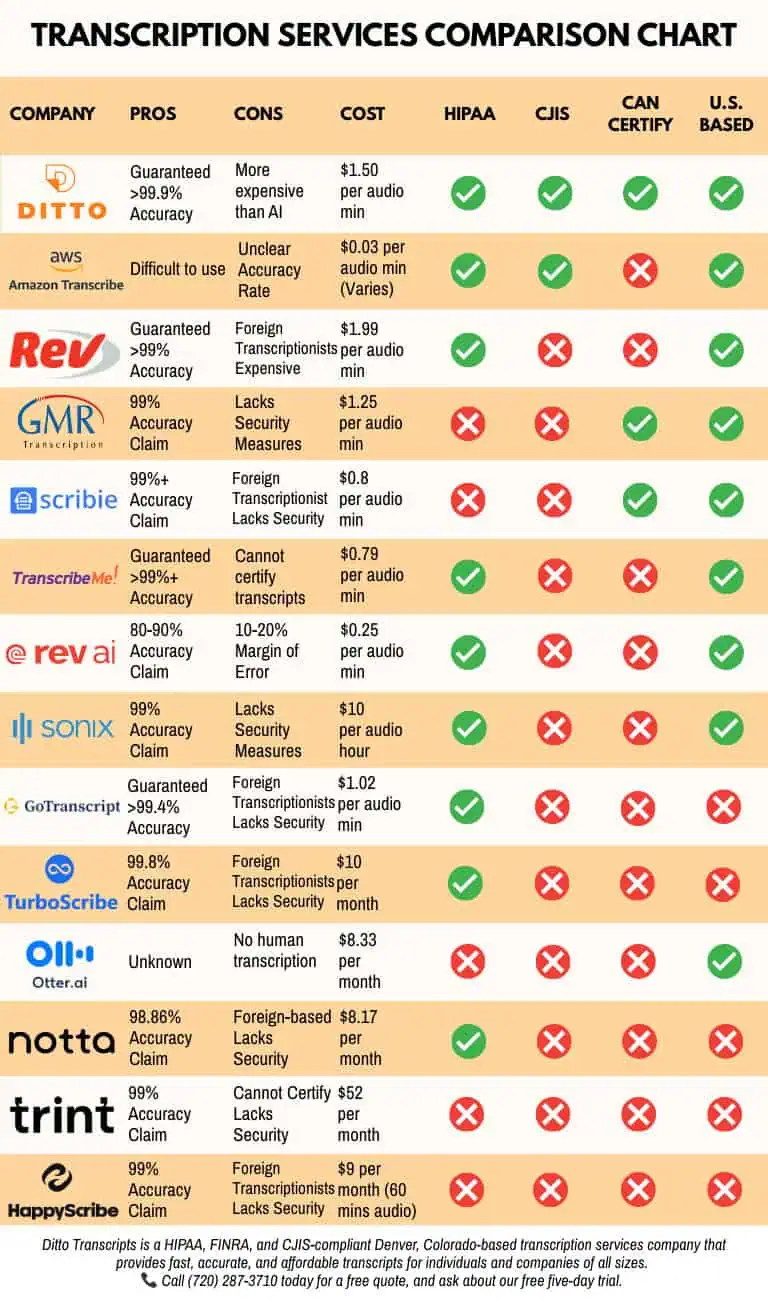
- Human transcriptionists: Ditto only employs trained professionals who can handle complex audio.
- Support for accessibility needs: We offer flexible, comprehensive transcript options, including speaker labels, readable formatting, and important visual descriptions when needed.
- Industry-specific experience: Ditto supports different fields, including legal, medical, law enforcement, and other niche transcription projects.
- Secure handling: Sensitive recordings are handled through workflows designed to protect confidentiality and client information, as Ditto Transcripts is HIPAA-, CJIS-, and FINRA-compliant transcription support.
- Flexible legal transcription pricing: Clients can choose from our turnaround and pricing options based on their needs.
- No long-term contract required: Clients can use Ditto for one project or ongoing transcription needs, no strings attached!.
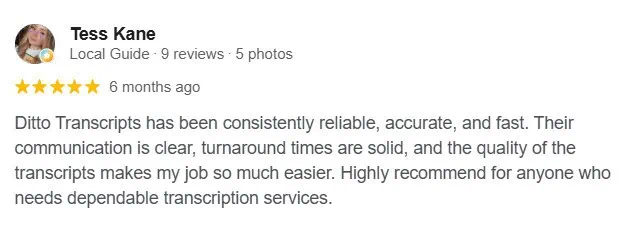
- Client testimonials: Need we say more?
Make Your Content Easier to Access
Accessible transcription services help organizations make audio and video content more useful for more people.
To arrive there, start with the essentials: accurate speech, clear speaker labels, meaningful sounds, readable formatting, and visual descriptions when needed. From there, accessible transcription can become part of a stronger content, documentation, and compliance process.
Ditto Transcripts is a Denver, Colorado-based transcription services company that provides fast, accurate, and affordable transcripts for individuals and companies of all sizes and is FINRA-, HIPAA-, and CJIS-compliant. Call (720) 287-3710 today for a free quote.