


A teacher finishes a lesson, only to realize they still have assignments to grade, parents to contact, and tomorrow’s activities waiting to be prepared. By the time everything is done, there’s barely enough room to think about the next school day.
It’s a familiar challenge, and technology can help. From classroom management apps to professional education transcription services for accurately documenting lectures and school discussions, digital tools can make information easier to manage. The challenge is finding solutions that genuinely reduce work instead of creating more.
So, which productivity tools are worth using, and how can teachers make the most of them?
Why Should Teachers Use Productivity Apps and Tools?
Teaching involves more than standing in front of a classroom. Educators plan lessons, monitor student progress, communicate with families, and handle administrative responsibilities.
The right productivity tools reduce repetitive tasks, letting teachers focus more on their students.
Here are some ways these tools support everyday teaching:
| Benefit | How it helps teachers |
| Time management | Organizes schedules, deadlines, and classroom activities |
| Classroom organization | Keeps assignments, lesson plans, and resources accessible |
| Communication | Simplifies updates between teachers, students, and parents |
| Personalized learning | Helps adapt materials to different learning needs |
| Accessibility | Provides alternative ways to access educational content |
Not every classroom needs the same tools. A kindergarten teacher may prioritize visual instructions and parent communication, while a university lecturer might benefit more from recorded lectures and searchable transcripts.
Best Productivity Tools and Apps for Teachers
Interactive Learning Platforms: Kami
Traditional worksheets still have their place, although digital platforms can make them easier to distribute, complete, and review.
Kami allows teachers to annotate PDFs, worksheets, and other educational materials. Students can interact with lessons, while educators provide written, audio, or video feedback.
Its main advantage is turning existing materials into interactive activities without requiring teachers to rebuild entire lessons. It also offers assessment and monitoring features, though some require paid plans.
Online Whiteboards: Classroomscreen
Remember when teachers had to write every instruction on the board? Digital whiteboards make classroom routines easier to manage.
Classroomscreen lets teachers display instructions alongside timers, schedules, noise monitors, random student selectors, and polls.
For example, a teacher can start a ten-minute group activity while displaying the remaining time and expected noise level. Students can follow the instructions without repeatedly asking what comes next.
Classroom and Project Management: Trello and Todoist
Lesson planning becomes difficult when deadlines, assignments, and school activities are scattered across different notebooks or applications.
Trello organizes projects using visual boards, lists, and cards. Teachers can track lesson preparation, coordinate group projects, and collaborate with colleagues.
Todoist offers a more straightforward approach to managing tasks, reminders, and deadlines.
The goal is to keep responsibilities visible and organized, reducing the time spent remembering what still needs to be done.
Differentiated Learning Software: Diffit
Students don’t always learn at the same pace. Some need additional reading support, while others are ready for more challenging material.
Creating separate resources manually can consume hours of preparation.
Diffit helps teachers adapt reading materials, generate activities, and adjust content for different reading levels. It can also produce resources in multiple languages.
However, teachers still need to review AI-generated educational materials. Teachers should verify facts, reading difficulty, and suitability before distributing them.
Parent-Teacher Communication: ClassDojo
Education works better when families understand what’s happening in the classroom.
ClassDojo helps teachers share announcements, photos, classroom updates, and messages with parents. Its translation features also support communication with families who speak different languages.
Instead of relying on scattered emails or informal messaging groups, teachers can keep communication more organized.
Transcription Services: An Underrated Productivity Tool
Not every productivity solution comes as an app.
Teachers regularly work with recorded lectures, interviews, seminars, and meetings. While recordings preserve spoken information, finding one specific explanation in an hour-long video can be frustrating.
Transcription makes recorded material searchable, readable, and easier to revisit without repeatedly playing the audio.
For instance, academic transcription services convert lectures, research interviews, and educational discussions into written documents.
Educators can use these transcripts to prepare learning resources, revisit previous lessons, and organize research materials. Students also gain another way to access information beyond listening to recordings.
How Transcription Improves Teacher Productivity
Transcription becomes particularly useful when combined with existing educational tools.
Better Lesson Review and Organization
Teachers can compare previous lectures with current lesson plans to identify explanations that need improvement.
Instead of reviewing an entire recording, they can search for specific topics, questions, or discussions.
A well-organized transcript turns a one-time lecture into a reusable educational resource.
Accessibility and Inclusive Learning
Students have different accessibility needs. Deaf or hard-of-hearing students may need written alternatives to audio content, while others benefit from reading alongside a recording.
Transcripts and captions serve related yet different purposes. Transcripts provide written content, while captions synchronize text with video and include relevant audio information.
The World Wide Web Consortium explains that prerecorded videos containing meaningful audio generally require captions under WCAG accessibility standards, subject to specified exceptions.
A transcript alone does not necessarily meet a video’s captioning requirements.
Reliable Documentation and Referencing
Recorded interviews, group discussions, and educational research often contain details that paraphrasing can lose.
For projects where exact wording matters, verbatim transcription services help preserve repetitions, hesitations, and other meaningful speech details.
This is especially valuable when educators conduct research interviews or need to examine how participants expressed their responses.
How Students Benefit From Transcription
Teachers aren’t the only ones who benefit from searchable lesson materials.
Imagine attending a lecture where the professor explains three complex concepts in quick succession. You manage to write down the first two, only for the third to slip away before you finish your notes.
A transcript gives you another opportunity to review what was said.
Students can use lecture transcripts to:
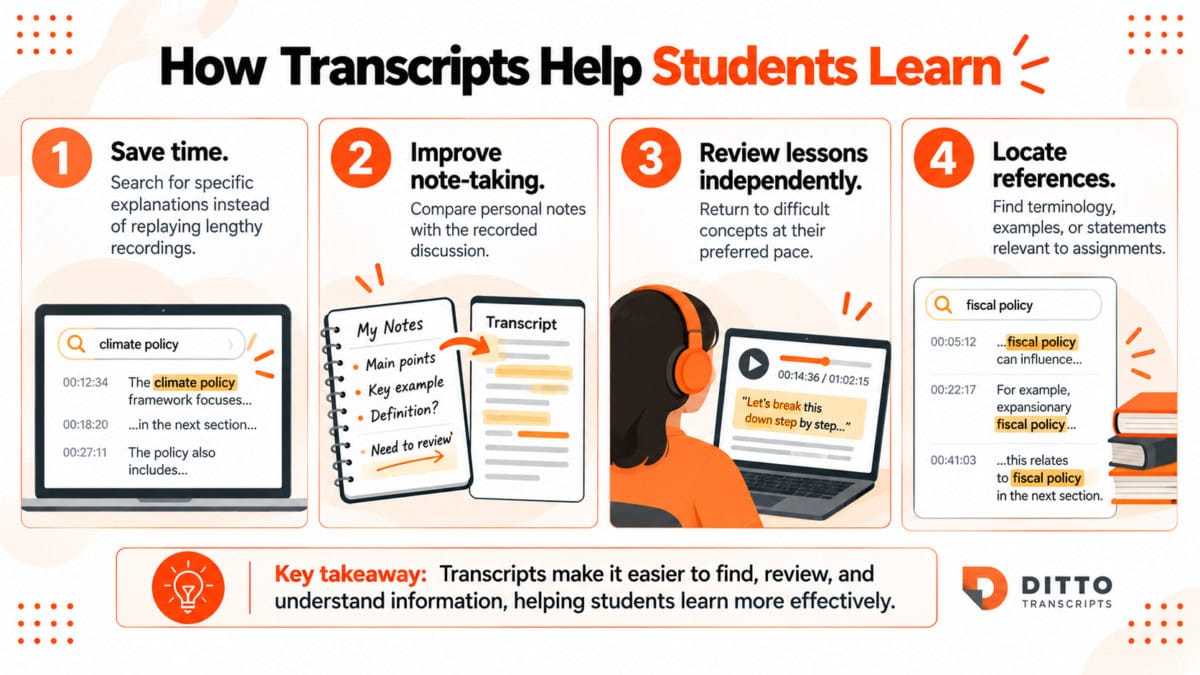
Transcripts can also complement recorded lectures for students studying in a second language.
However, access to transcripts does not automatically guarantee better grades or higher attendance.
A 2016 study published in the Journal of the Scholarship of Teaching and Learning found improved assessment scores among students exposed to captions. However, a 2026 study in the British Journal of Educational Technology found no meaningful difference in quiz performance between captioning conditions.
The evidence is mixed, although accessibility, convenience, and the ability to review information remain practical reasons to provide written learning materials.
Why Choose Ditto Transcripts for Education?
At Ditto Transcripts, we understand that teachers already have enough responsibilities. Preparing accurate transcripts shouldn’t become another time-consuming task.
Our goal is to make recorded educational materials easier to access, organize, and use without compromising accuracy.
Here’s what Ditto offers:
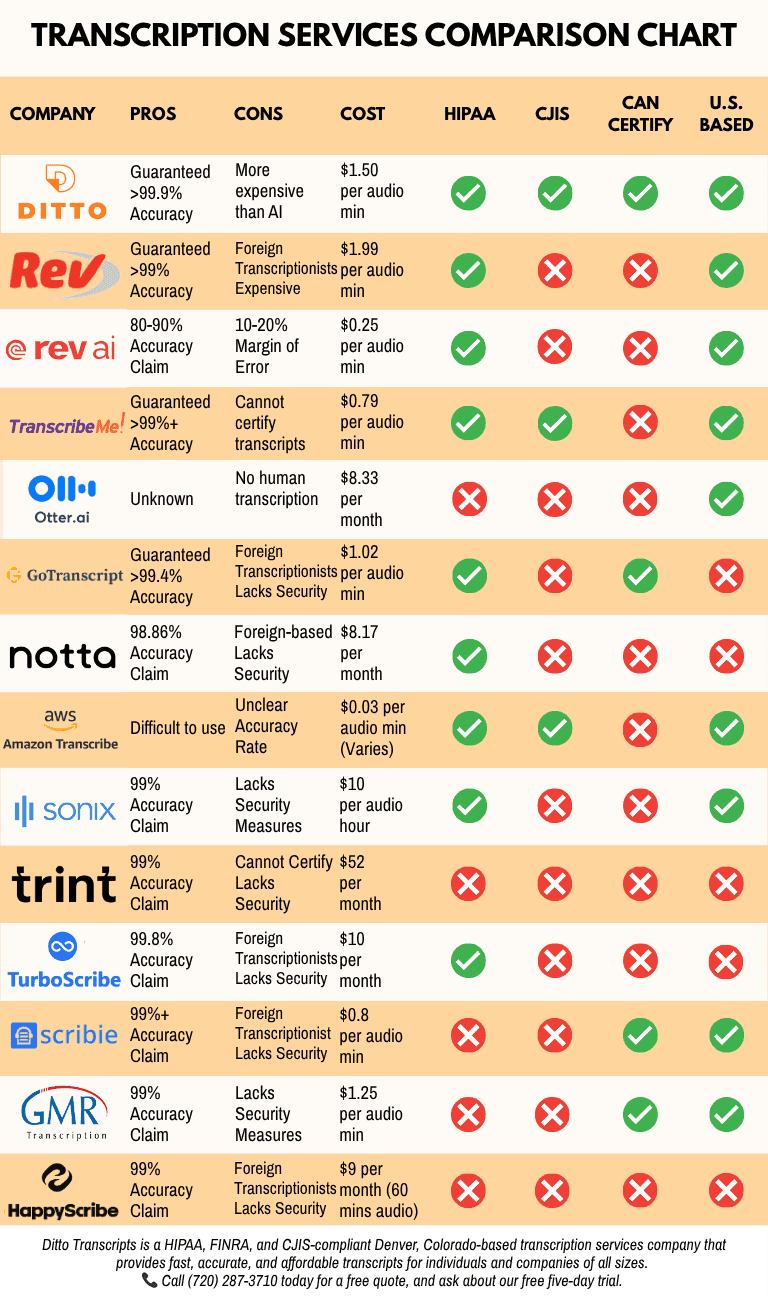
- Human accuracy: Our U.S.-based transcriptionists provide professionally reviewed documents backed by our 99% accuracy guarantee.
- Confidentiality: We understand the importance of protecting sensitive educational recordings and research materials.
- Professional documentation: We transcribe lectures, academic interviews, seminars, research discussions, and other recorded materials according to project requirements.
- Flexible pricing: Need a cost estimate? Review our legal transcription prices or contact us for a quote tailored to your educational recording.
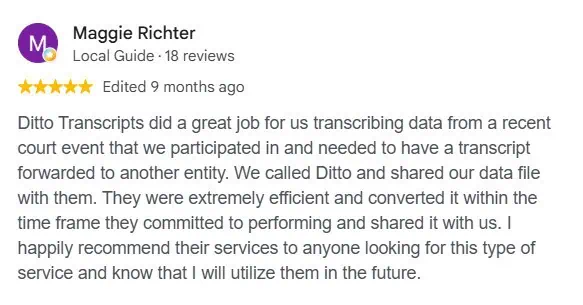
- Client experience: Want to know what others think? Our testimonials include feedback from academic researchers and other clients who have used our services.
We believe technology should make teaching easier, not introduce more work. That’s why our academic transcription services emphasize human accuracy, confidentiality, and dependable documentation.
Make Technology Work for Your Classroom
Productivity tools can help teachers manage assignments, communicate with parents, personalize lessons, and improve access to learning materials.
However, more apps don’t necessarily mean you’re more productive. What matters is choosing tools that solve real classroom problems.
Start with the tasks that consume the most time, whether that’s grading, organizing resources, or revisiting recorded lessons. Then choose tools that make those responsibilities easier to manage.
The best productivity tools give teachers more time to do what technology cannot replace: teach, guide, and connect with their students.
Ditto Transcripts is a Denver, Colorado-based transcription company providing accurate, secure, and affordable transcription services for schools, universities, researchers, and organizations nationwide. Call (720) 287-3710 today for a free quote.