


Social media like Facebook, Instagram, and X (formerly Twitter) have taken information sharing and content consumption to a new level. However, as these platforms continue to grow, a major issue needs attention: content accessibility. Everyone deserves an inclusive experience, regardless of their abilities. Fortunately, best practices and accessibility tools—such as creating video captions and legal transcription services—can help make content more inclusive. Ultimately, accessibility isn’t about meeting requirements; it’s about fostering an engaged, diverse community where all users can connect and participate equally.
In this article, you’ll learn how:
- 42.5 million U.S. adults—13% of the population—live with disabilities, highlighting the need for inclusive content.
- The ADA requires accessible content, and following accessibility standards is both a legal and ethical responsibility.
- WCAG recommends a minimum contrast ratio of 4.5:1 for regular text to improve readability for visually impaired users.
Why is Accessibility Crucial in Social Media Content Creation?
I can’t overstate the importance of accessibility in social media content creation. It ensures that everyone has equal access to information. However, accessible content doesn’t just create a more inclusive online community; it also often gets more visibility. More views mean potentially higher income for content creators. It’s a win-win situation.
Apart from the earnings potential associated with content accessibility, social media content creators are mandated by the Americans with Disabilities Act (ADA) to make their content accessible to all users, especially the 42.5 million adults with disabilities, about 13% of the country’s population.
Fortunately, ensuring accessibility isn’t tricky. Using closed captions, alt text for images, and transcripts for audio content can make a significant difference. Tools such as legal and court transcription services also help creators accurately convert spoken content into readable text, further enhancing accessibility and inclusivity.
Most Common Types of Social Media Content
Before we discuss the finer details of this topic, below is social media content that we may frequently encounter.
| Contents | Description |
| Text Posts | Short, written updates or longer blog-style posts sharing thoughts, opinions, or information. |
| Images | Visual content such as photos, illustrations, infographics, or memes. |
| Videos | Short-form or long-form video content, including vlogs, tutorials, or entertaining clips. |
| Live Streams | Real-time video broadcasts that allow audience interaction through comments or reactions. |
| Stories | Short-lived content, typically available for 24 hours, often features a mix of images, videos, and text. |
| User-Generated Content | Content created and shared by users, often in response to prompts or challenges from brands or influencers. |
| Sponsored Content | Paid partnerships between brands and creators to promote products or services. |
Strategies to Improve Social Media Accessibility
There are many ways; however, let’s focus on the major ones—for now.
Alt Text for Images
The World Wide Web Consortium (W3C) recommends using alt text for images to improve accessibility. Alt text is a short description of an image that screen readers read aloud, helping visually impaired users understand what’s being shown. Keep it concise and focused on the key details. For example: “A stunning orange and pink sunset over a sandy beach with palm trees silhouetted in the foreground.” Most social media platforms, including Twitter, Facebook, and Instagram, make it easy for users to add alt text to images.
Descriptive Captions
Captions describe the visual content of images or videos, providing essential context and meaning. They should be short but detailed enough to convey the purpose of the media. Example: “A breathtaking view of vibrant orange and pink hues paints the sky as the sun sets behind the silhouette of a cityscape.” Descriptive captions benefit everyone by offering a clearer understanding of the content’s message, especially users who rely on screen readers.
Proper Color Contrast
Color contrast plays a key role in readability and accessibility, particularly for people with visual impairments or color blindness. The Web Content Accessibility Guidelines (WCAG) recommend a contrast ratio of at least 4.5:1 for normal text and 3:1 for large text. Tools such as WebAIM’s Color Contrast Checker can help verify that your designs meet these accessibility standards.
CamelCase for Descriptive Hashtags
Writing hashtags in CamelCase—capitalizing the first letter of each word—helps screen readers distinguish individual words. For example, use #EffectiveAccessibilityTips instead of #effectiveaccessibilitytips. This approach enhances both accessibility for visually impaired users and readability for everyone.
Limit the Use of Emojis
Emojis can add character to posts, but excessive use may cause confusion for those relying on screen readers, which read aloud each emoji’s description. Use them sparingly and intentionally—only when they add clear value to the message—so that the content remains accessible and easy to follow.
Trigger Warnings
Trigger warnings help prepare users for content that could be distressing, such as discussions about violence, abuse, or mental health challenges. Including them allows audiences to make informed choices about engaging with sensitive material. For example: “Trigger Warning: This post discusses experiences with domestic violence.” The National Alliance on Mental Illness (NAMI) recommends using clear and visible trigger warnings to promote a more inclusive online environment.
In addition, creators handling sensitive or detailed spoken content—such as interviews or testimonies—can benefit from verbatim transcription services. These services capture every spoken word precisely as it’s said, ensuring authenticity and accuracy in transcripts, especially for research, journalism, or documentary projects.
Captions and Transcripts for Videos
Captions and transcripts make video content accessible to individuals with hearing impairments. Captions should be accurate, well-synced, and include relevant non-speech sounds. Although platforms like YouTube offer automatic captioning, creators should always review them for accuracy. Incorporating legal and court transcription services can also ensure precise, high-quality transcripts that improve accessibility for all audiences.
For professionals or creators producing more formal or long-form content—such as webinars, interviews, or recorded discussions—using trial transcription services can help ensure clean, accurate transcripts that support accessibility, documentation, and content reuse across multiple platforms.
How Can You Get Transcripts for Video Captions?
Several transcription methods for audio or video files might sound like excellent ways to make your social media content more accessible and engaging. However, not all of them are appropriate for video transcription. Here’s why:
| Type of Transcription | Description | Advantages | Disadvantages | Best Use / Recommendation |
| In-House Transcription | Transcribing video or audio to text by yourself or a hired employee. | Direct control over the transcription process.- No need to share sensitive data externally. | Very time-consuming.- Expensive if done by professional employees.- Can divert focus from other tasks. | Suitable only for small-scale projects or when confidentiality is a major concern. |
| Automatic Transcription | Uses AI, machine learning, or speech-to-text software to create captions and transcripts automatically. Common in platforms like Facebook, YouTube, Instagram, and TikTok, and built into Google Docs and Microsoft Word. | Fast and often free.- Convenient and easily accessible. | Less accurate (around 61.92% accuracy).- Struggles with accents, background noise, or multiple speakers.- May require heavy manual editing. | Ideal for quick drafts or personal use, but not recommended for professional or public-facing content. |
| Manual Transcription (Human) | Professional transcriptionists manually convert video or audio to text for maximum accuracy. | Extremely accurate (up to 99%).- Captures tone, nuance, and non-verbal cues.- Suitable for captions and accessibility compliance. | Costs more than automated options.- Takes longer than AI tools. | Best choice for high-quality, professional captions and transcripts. Ditto Transcripts offers 99% accurate human-made transcriptions and captioning for YouTube, Facebook, Instagram, TikTok, Zoom, and more, including translation services. |
Let Ditto Transcripts Help You Create Accessible Social Media Content
Growing the media following is crucial for organizations in this era, and you don’t want to mess up your video content with inaccurate text files that need more time to fix.

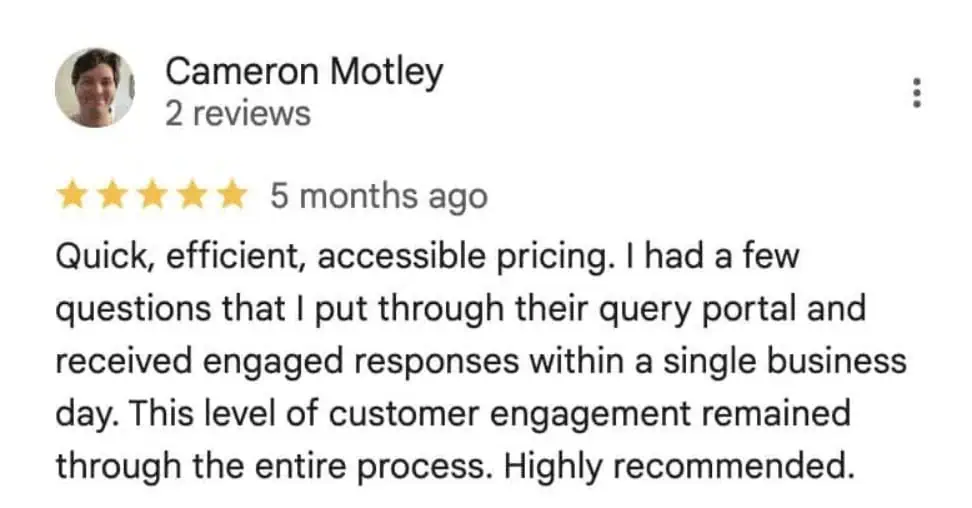
Get Ditto Transcripts. We are the best transcription service provider, with 100% U.S.-based staff,>99% accuracy, fast turnaround times, and excellent customer service. More importantly, we do not break the bank! Check our legal transcription prices to know more. And after all that, you still don’t believe us? Here’s what testimonials say:
Ditto Transcripts is a Denver, Colorado-based FINRA, HIPAA, and CJIS-compliant transcription services company that provides fast, accurate, and affordable transcripts for individuals and companies of all sizes. Call (720) 287-3710 today for a free quote.